

Add an expense
Record every part, labor bill, shop bill and fee on a car.
Steps
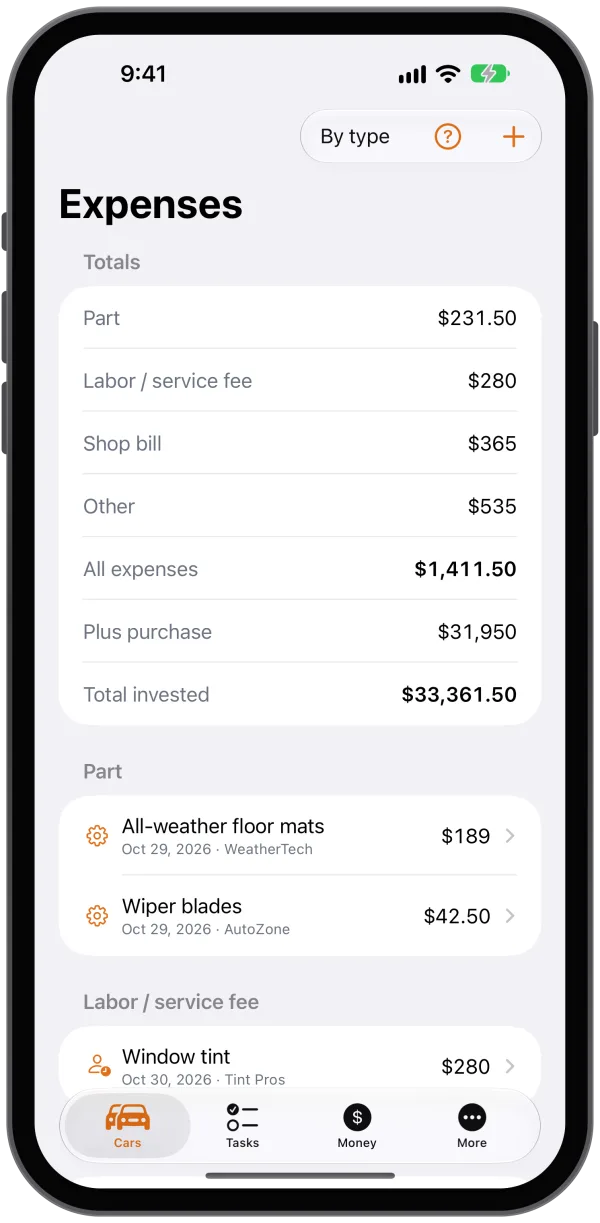
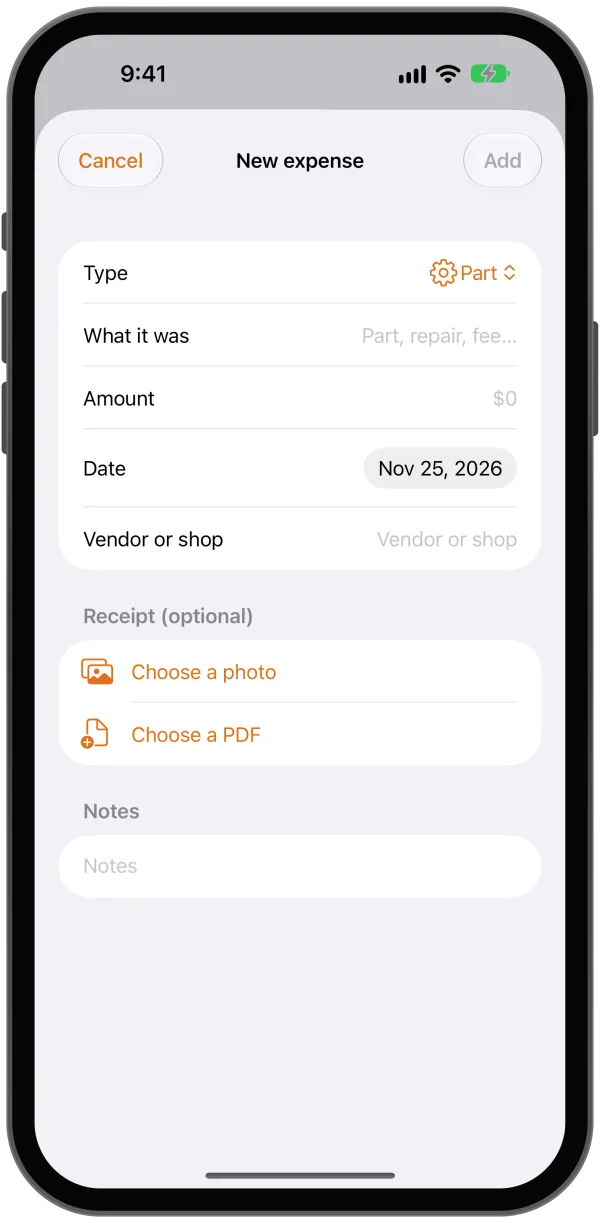
- Open the car and tap Expenses, then + (Add expense).
- Pick the Type: Part, Labor / service fee, Shop bill (parts and labor together, one total) or Other (fees, towing, detailing).
- Fill in What it was and the Amount; set the Date and Vendor or shop.
- Optional: add a receipt with Choose a photo, Take a photo or Choose a PDF.
- Tap Add.
Edit, duplicate or delete
- Tap an expense to change anything, including the receipt.
- Swipe right and tap Duplicate for a repeat purchase.
- Swipe left to delete (with Undo).
Splitting a shop bill into parts and labor is never required. Title, registration and inspection fees for this car go here as Other, so they count in its profit.
Still stuck? In the app, go to More > Contact Support (it emails us with the error log attached; you see the email first), or email contact@setriksoftware.com. You can also browse the Help Center or the messages the app can show.