

SellingFlip Binder Pro
Share or copy a listing
Send the listing with photos, copy the text, or save the photos to paste in anywhere.
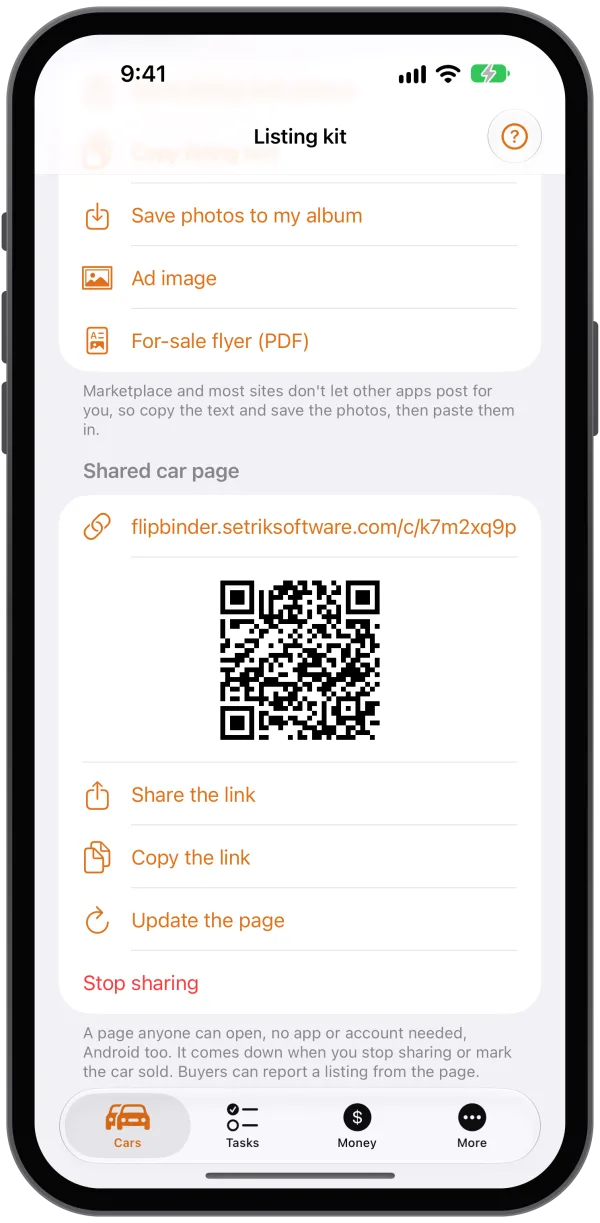
Marketplace and most sites don’t let other apps post for you, so Flip Binder makes pasting in quick.
Steps
- Open the car’s Listing kit and scroll to Advertise it.
- Pick one:
– Share listing with photos: send the text and photos to any app.
– Copy listing text: then paste it into the site.
– Save photos to my album: then pick them on the site.
The photos are the ones chosen for the shared page (by default the cover and your other photos, without damage photos).
Still stuck? In the app, go to More > Contact Support (it emails us with the error log attached; you see the email first), or email contact@setriksoftware.com. You can also browse the Help Center or the messages the app can show.