

See your totals and scoreboard
Profit for any period, money tied up in cars, and which cars make you money.
Every number here is free. Reports (Pro) put the same numbers into PDFs and spreadsheets.
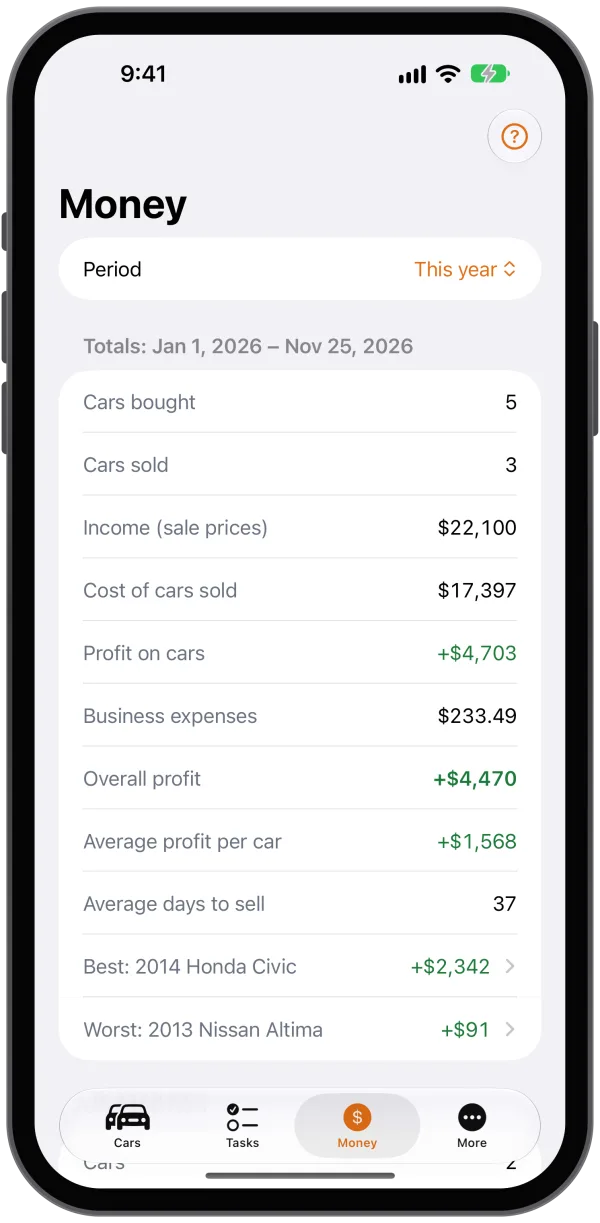
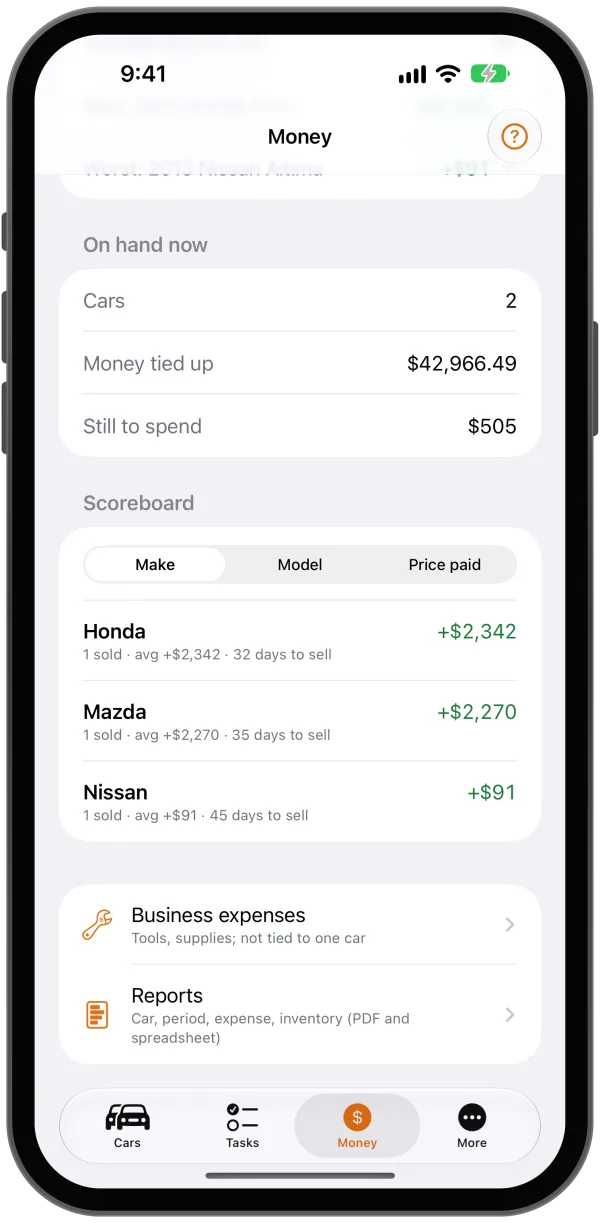
Steps
- Open the Money tab.
- Pick the Period: This month, This year, All time or Custom (set the dates).
What you’ll see
- Totals: cars bought and sold, income, cost of cars sold, profit on cars, business expenses, overall profit, average profit per car, average days to sell, best and worst flip.
- On hand now: cars you own, the money tied up in them and what’s still to spend.
- Scoreboard: sold cars grouped by Make, Model or Price paid, with total and average profit and days to sell. Tap See all for more than 10.
Profit counts in the period of the sale date. The sample car never counts.
Still stuck? In the app, go to More > Contact Support (it emails us with the error log attached; you see the email first), or email contact@setriksoftware.com. You can also browse the Help Center or the messages the app can show.