

Money and reportsFlip Binder Pro
Make a report
Car, period, expense and inventory reports as PDF or spreadsheet.
Steps
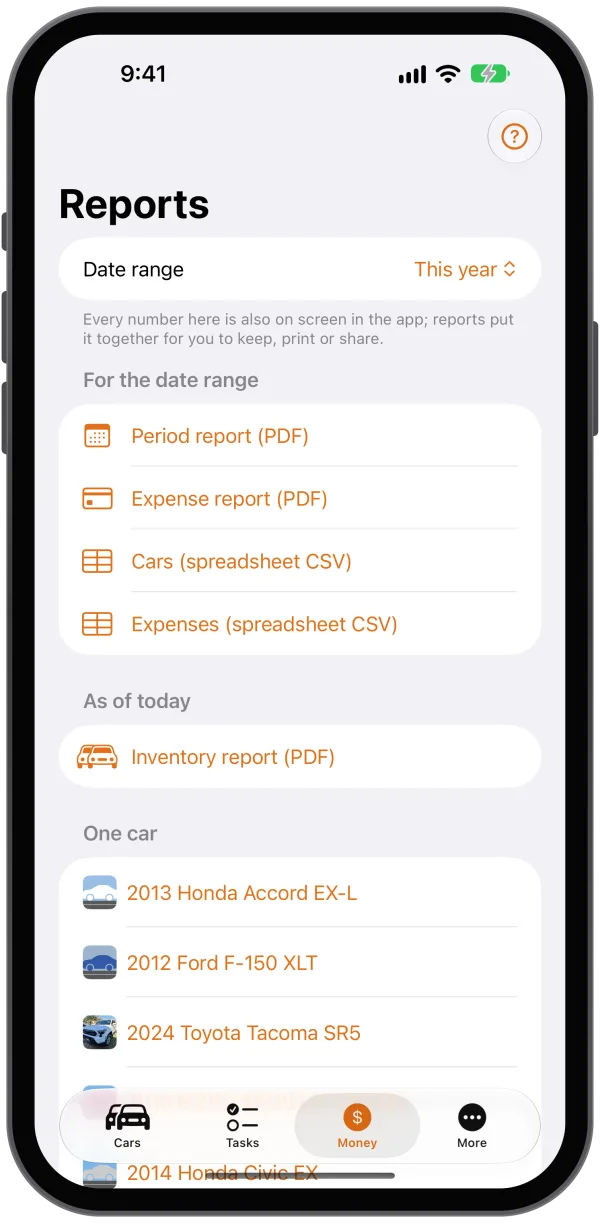
- On the Money tab, tap Reports.
- Pick the Date range for period, expense and spreadsheet reports.
- Tap a report. It opens as a preview.
- Tap the share button to print, email or save it.
| Report | Shows |
|---|---|
| Period report (PDF) | Cars bought and sold, totals, best and worst |
| Expense report (PDF) | All car and business expenses, by type and by car |
| Cars (spreadsheet CSV) | One row per car |
| Expenses (spreadsheet CSV) | One row per expense |
| Inventory report (PDF) | Cars on hand and money tied up |
| One car | The car report |
The sample car’s reports are free to try.
Still stuck? In the app, go to More > Contact Support (it emails us with the error log attached; you see the email first), or email contact@setriksoftware.com. You can also browse the Help Center or the messages the app can show.