

Money and reportsFlip Binder Pro
Make an inspection sheet
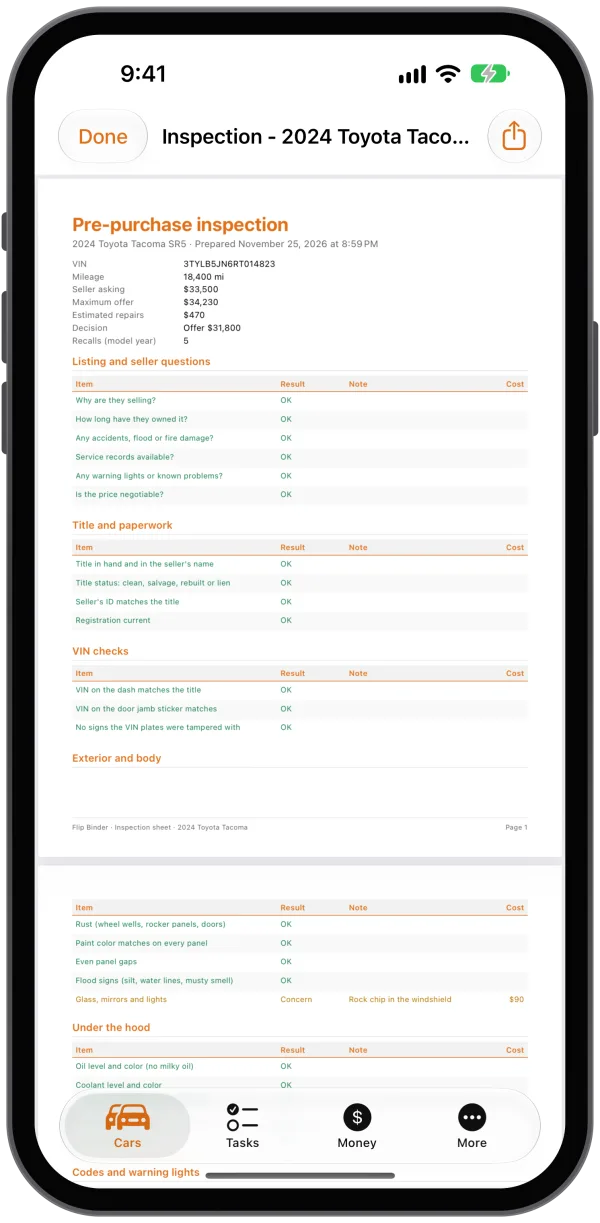
The pre-purchase inspection results as a PDF.
Steps
- Open the car and scroll to Reports.
- Tap Inspection sheet.
It lists every item and its result in color, the maximum offer, estimated repairs, the decision, open trouble codes and recalls.
Still stuck? In the app, go to More > Contact Support (it emails us with the error log attached; you see the email first), or email contact@setriksoftware.com. You can also browse the Help Center or the messages the app can show.