

Make a bill of sale
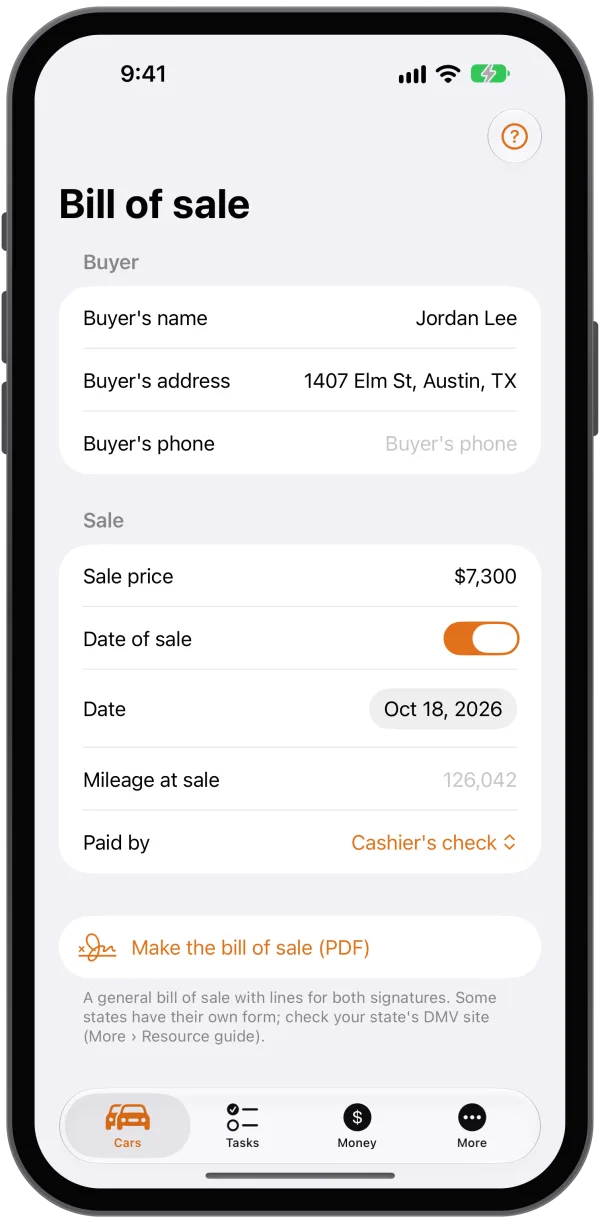
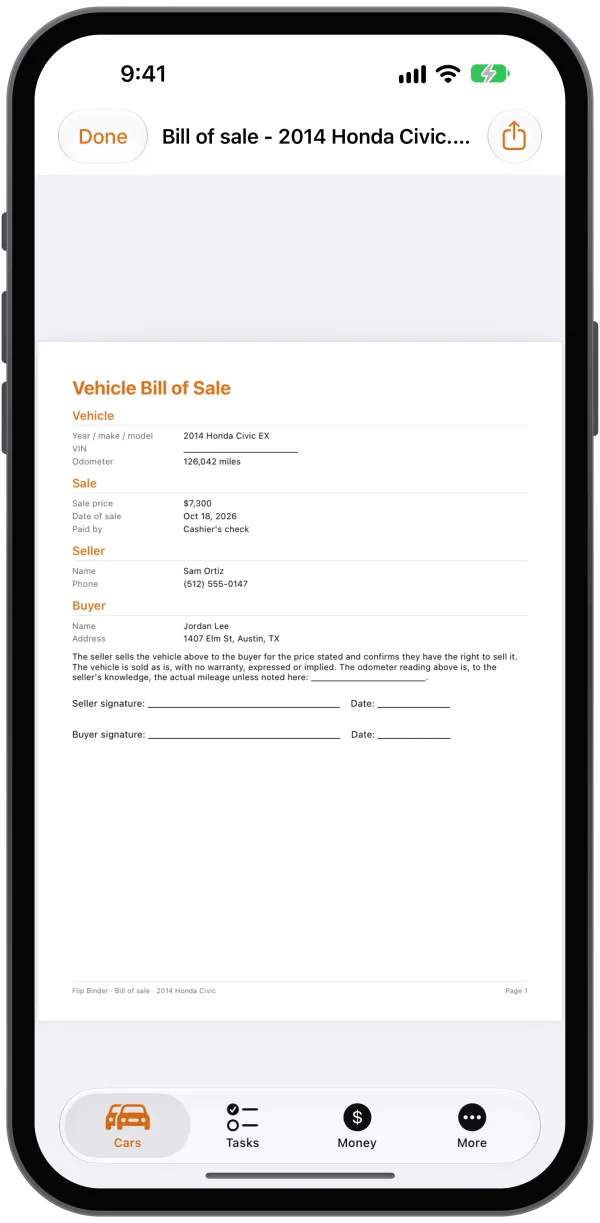
A PDF bill of sale filled in from the car and the buyer, with lines for both signatures.
The bill of sale is free.
Steps
- Open the car and tap Bill of sale.
- Fill in Buyer’s name, Buyer’s address and Buyer’s phone, the Sale price, Date of sale, Mileage at sale and Paid by.
- Tap Make the bill of sale (PDF).
- Tap the share button to print, email or save it.
Good to know
- It’s a general, “as is” bill of sale with both signatures and dates. Some states have their own form; check your state’s DMV (More > Resource guide).
- Your name and phone come from your seller profile.
Still stuck? In the app, go to More > Contact Support (it emails us with the error log attached; you see the email first), or email contact@setriksoftware.com. You can also browse the Help Center or the messages the app can show.