

Check off a task and record its cost
Mark a task done and save what it really cost as an expense, in one step.
Steps
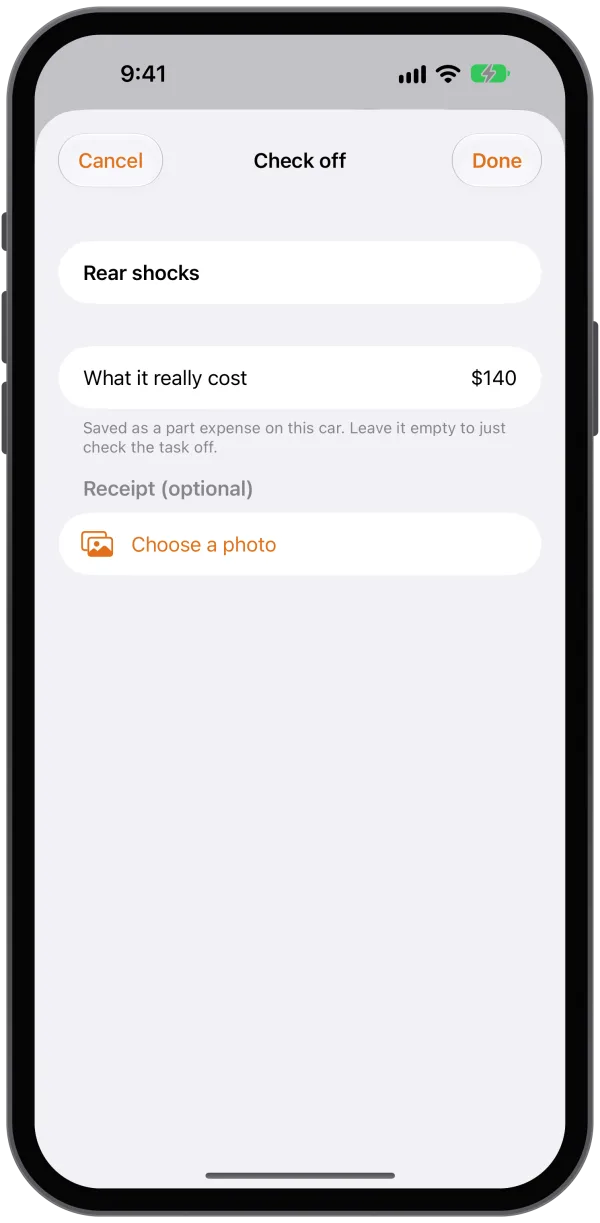
- Tap the circle next to a task.
- For a part, service or fee, type What it really cost (the estimate is filled in) and add a receipt if you like. For an action, turn on Record it as an expense if it cost something.
- Tap Done.
The cost is saved as an expense on the car: a part as Part, a service as Labor / service fee, a fee or action as Other.
Undo a check-off
Tap the green check again. If checking it off recorded an expense, Flip Binder asks: Remove the expense or Keep the expense, so it never counts twice.
A task made from a trouble code offers Mark fixed for that code when you check it off.
Still stuck? In the app, go to More > Contact Support (it emails us with the error log attached; you see the email first), or email contact@setriksoftware.com. You can also browse the Help Center or the messages the app can show.