

Delete or duplicate a car
Remove a car and everything on it, or start a new lead from a similar one.
Delete a car
- Open the car and scroll to the bottom.
- Tap Delete this car.
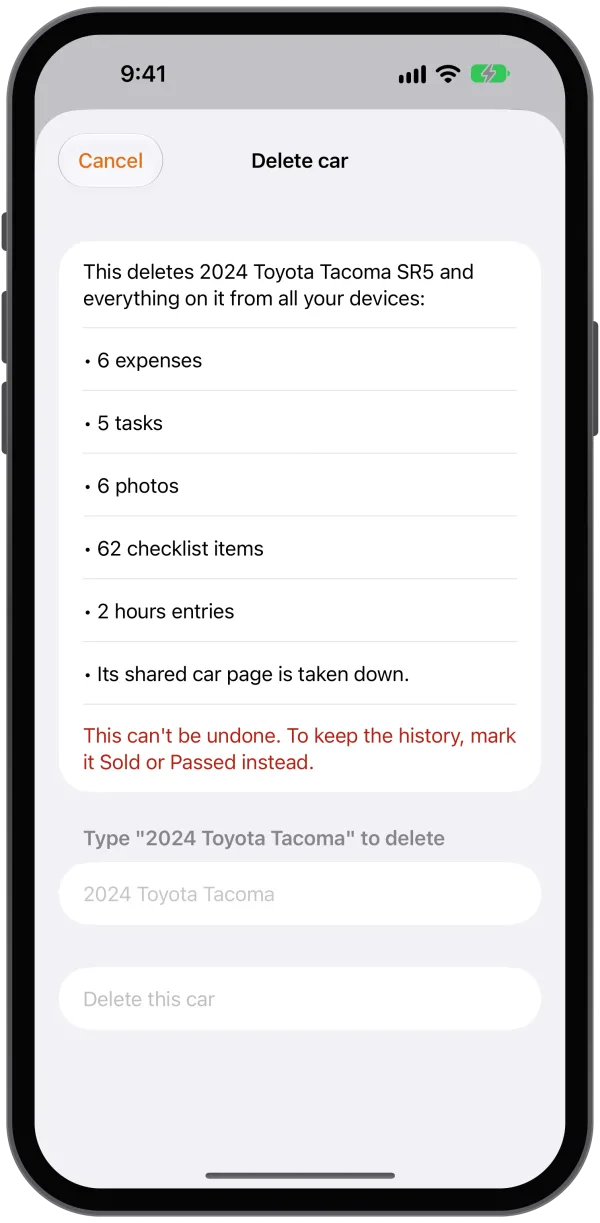
- Read what will be deleted, type the car’s name, and tap Delete this car.
This can’t be undone. To keep the history, mark it Sold or Passed instead.
Duplicate a car
Tap Duplicate as a new lead to start a new lead with the same year, make, model, trim, source and offer settings.
Still stuck? In the app, go to More > Contact Support (it emails us with the error log attached; you see the email first), or email contact@setriksoftware.com. You can also browse the Help Center or the messages the app can show.