

Money and reportsFlip Binder Pro
Make an expense report
All expenses for any dates, by type and by car.
Steps
- On the Money tab, tap Reports.
- Pick the Date range.
- Tap Expense report (PDF) (or Expenses (spreadsheet CSV) for a spreadsheet).
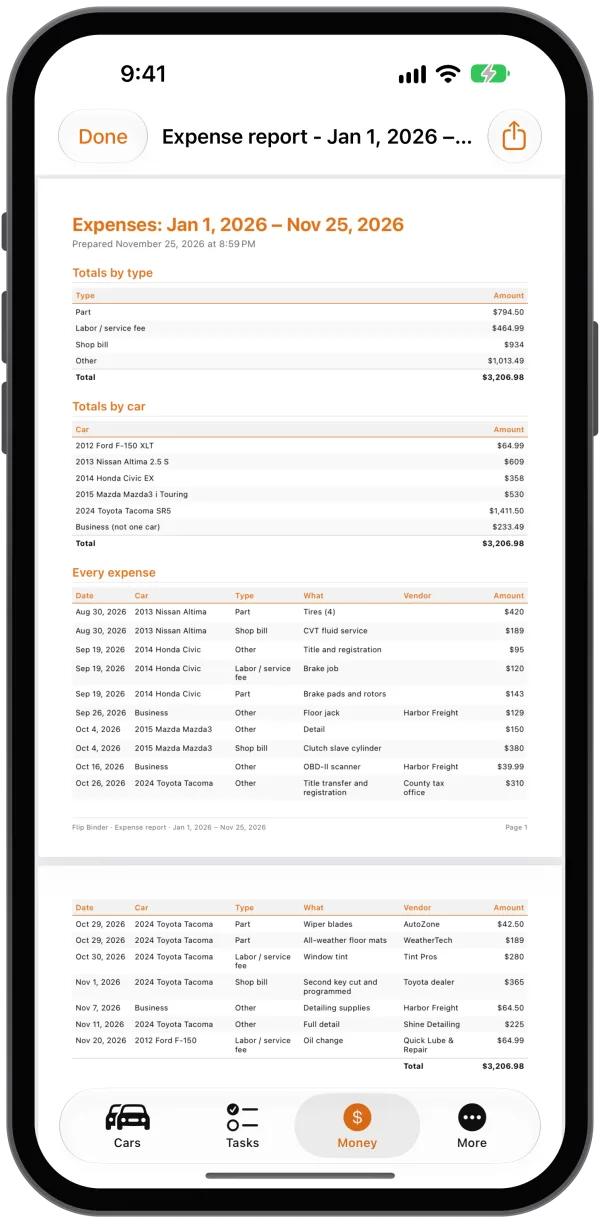
It totals by type and by car, then lists every expense. Use it however you like.
Still stuck? In the app, go to More > Contact Support (it emails us with the error log attached; you see the email first), or email contact@setriksoftware.com. You can also browse the Help Center or the messages the app can show.