

Inspect a car before buying
Go through the pre-purchase checklist, note problems and costs, and decide: go, walk away or offer.
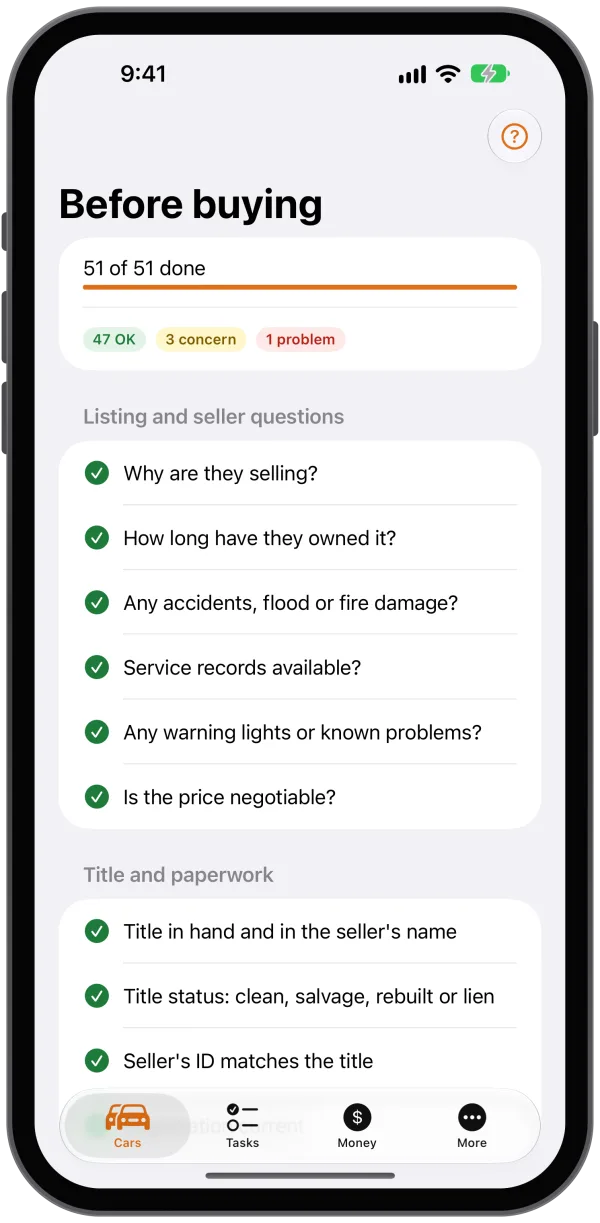
The Before buying checklist walks you through the seller questions, title, VIN checks, body, under the hood, codes, cold start, test drive, underneath, tires and brakes, interior and known problems.
Steps
- Open the car and tap Before buying.
- Tap the circle on each item and pick OK, Concern or Problem.
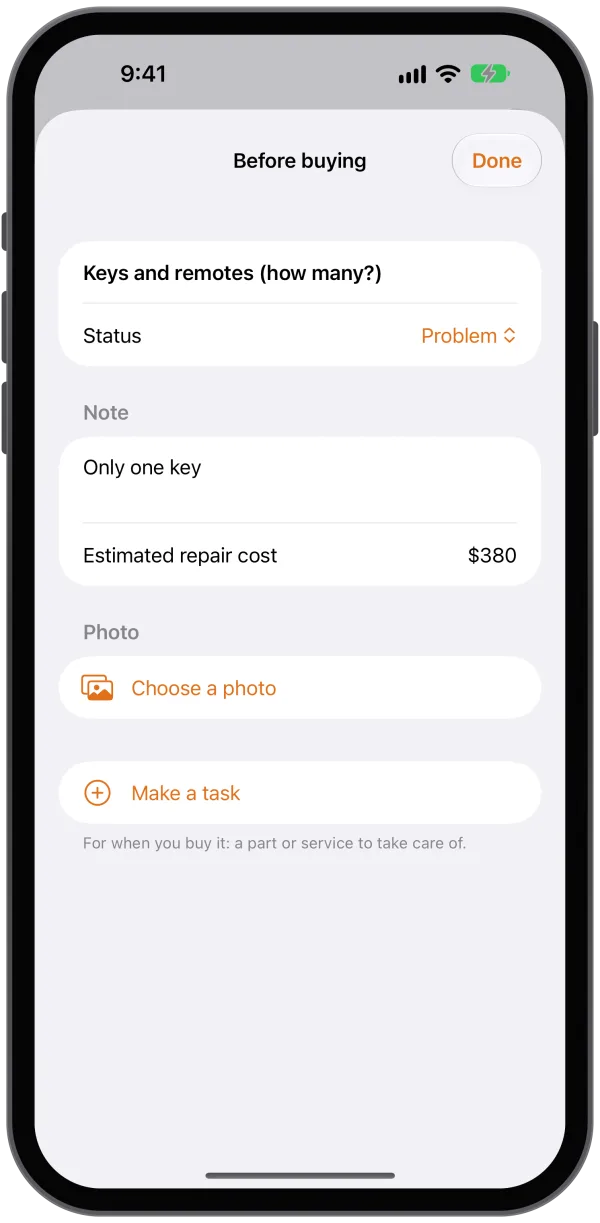
- Tap an item’s text to add a note, a photo and an Estimated repair cost.
- Need something the list doesn’t have? Tap Add an item just for this car.
- Swipe an item left and tap Skip if it doesn’t apply.
- At the bottom, under Decision, pick Go, Walk away or Offer, and type your offer.
Good to know
- Costs on concerns and problems lower the maximum offer right away.
- If you buy it, open a concern or problem and tap Make a task to turn it into a task.
- Walk away? Tap Mark the car Passed.
- The scanner item links to the car’s Trouble codes; the recalls item links to Recalls.
- Change the checklist for future cars with Edit the template for future cars. See Edit checklist templates.
Still stuck? In the app, go to More > Contact Support (it emails us with the error log attached; you see the email first), or email contact@setriksoftware.com. You can also browse the Help Center or the messages the app can show.