

Check a car for recalls
See open safety recalls for the car's model year, and turn one into a task.
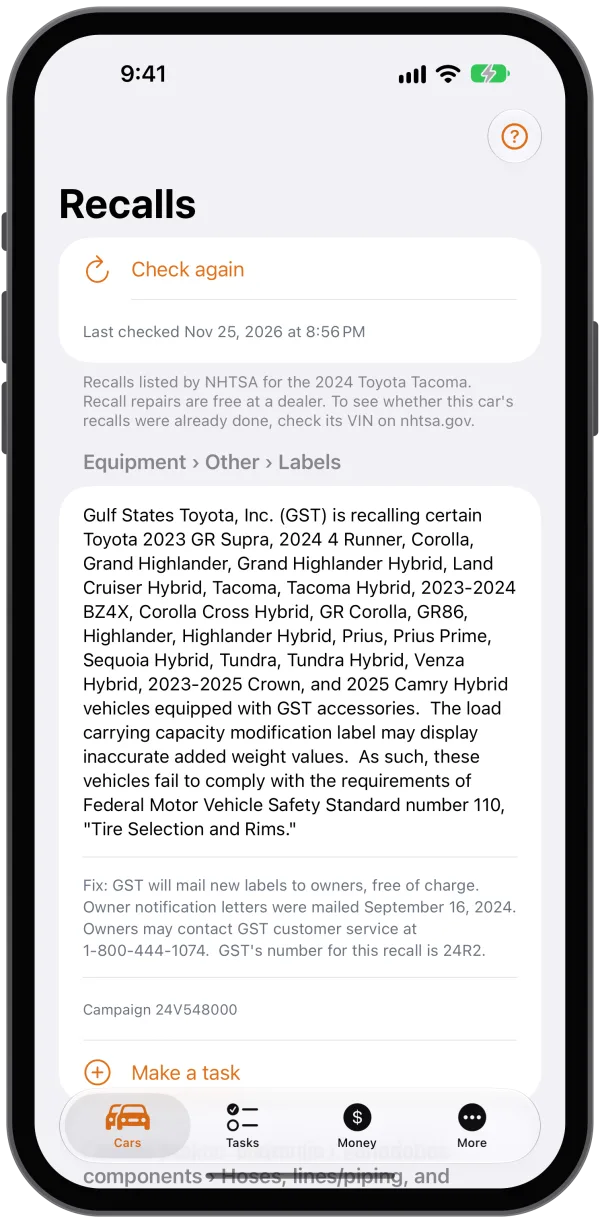
Flip Binder checks the free NHTSA recall list for the car’s year, make and model, and checks again when the car is opened if the last check is over 30 days old.
Steps
- Make sure the car has a year, make and model (from the VIN or typed).
- Open the car and tap Recalls.
- Read each recall’s summary and fix. Tap Make a task to add “Recall repair at a dealer” to the car’s tasks.
- To see whether this exact car’s recalls were already done, tap Check this car’s VIN on nhtsa.gov.
Good to know
- Recall repairs are free at a dealer.
- The list is for the model year; not every car of that year is affected.
- If the check can’t run (no signal), the last list stays with its date. Flip Binder never says “no recalls” unless the service answered.
Still stuck? In the app, go to More > Contact Support (it emails us with the error log attached; you see the email first), or email contact@setriksoftware.com. You can also browse the Help Center or the messages the app can show.