

Use the car page
Everything about one car in one place: money, alerts, what's next and every section.
Tap any car on the Cars tab to open its page.
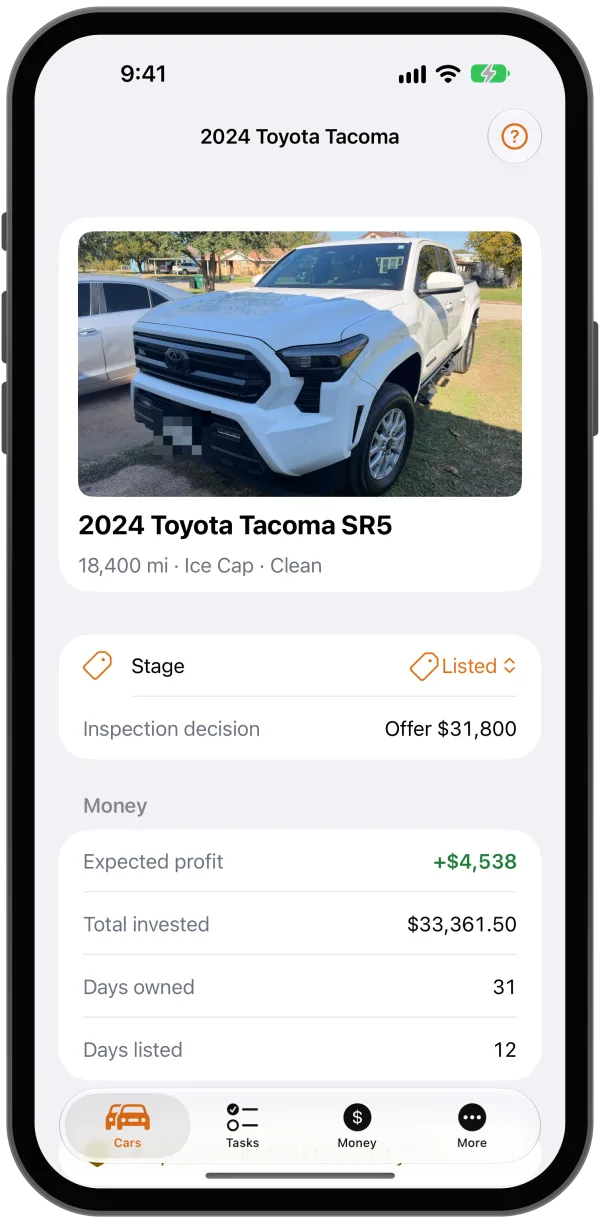
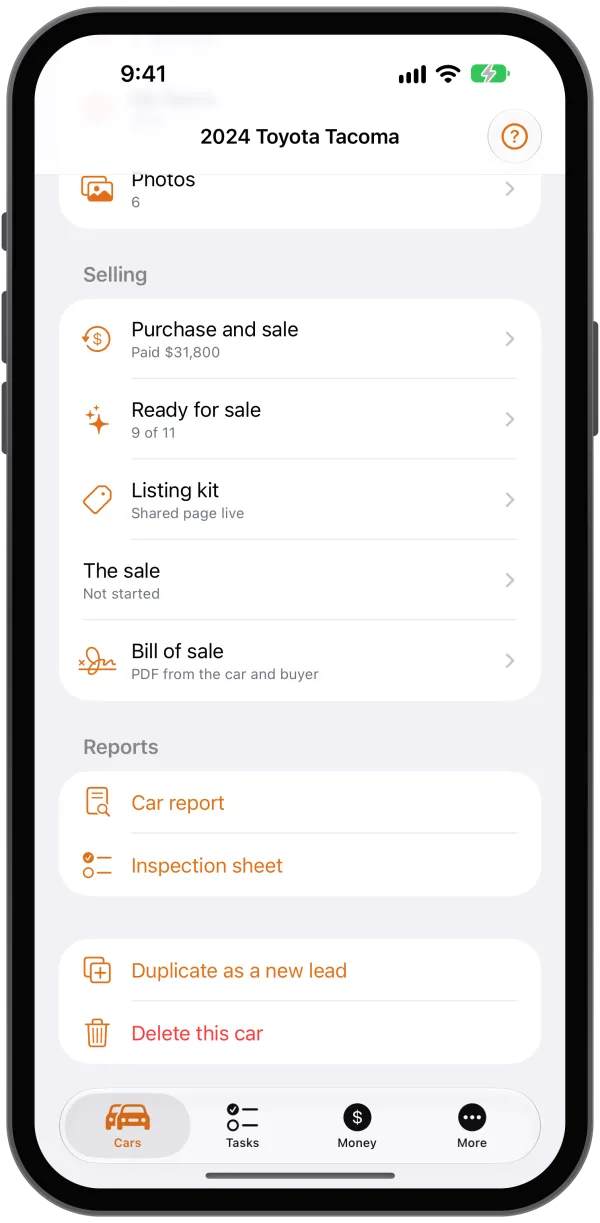
What’s on it
- Photo and title: the cover photo, year, make, model and trim, mileage, color and title status.
- Stage: tap to change it. See Move a car through its stages.
- Money: before you buy, the Maximum offer; while you own it, Expected profit, Total invested, Still to spend and Days owned; once sold, Profit, Margin, Return on investment and Profit per hour.
- Alerts: open recalls and trouble codes that aren’t fixed.
- Up next: the next reminders and open tasks.
- Before buying: Details and VIN, Values and maximum offer, the inspection checklist, Recalls, Trouble codes.
- Fixing it up: Tasks, Reminders, Expenses, My hours, Photos.
- Selling: Purchase and sale, Ready for sale, Listing kit, The sale, Bill of sale.
- Reports: Car report and Inspection sheet (Pro).
- At the bottom: Duplicate as a new lead and Delete this car.
Green means profit and red means loss; Flip Binder uses those colors only for money.
Still stuck? In the app, go to More > Contact Support (it emails us with the error log attached; you see the email first), or email contact@setriksoftware.com. You can also browse the Help Center or the messages the app can show.