Car flip reminders
Don’t let a car sit
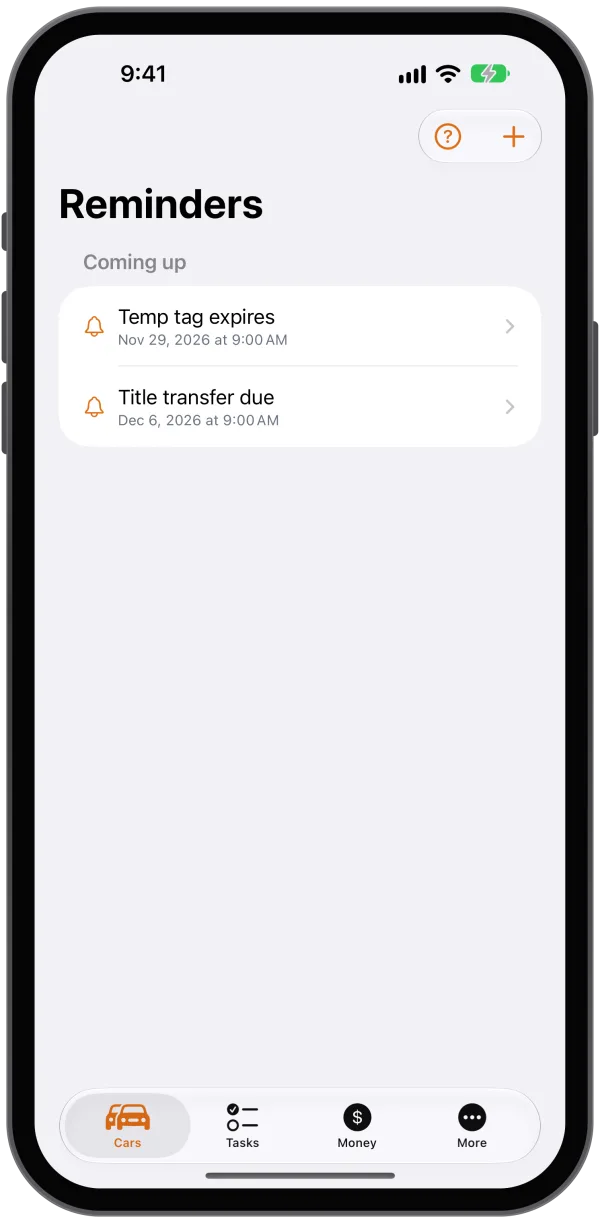
Reminders for the dates that matter on a flip, like a temp tag running out or a title transfer, plus nudges when a car has been listed too long, bought with no work started, or a lead has gone quiet.
Reminders and nudges are free.
Notifications on each of your devices.

For iPhone and iPad · Requires iOS 26 or later · Free for every car
How it works
Car flip reminders in three taps
1
Add a reminder
On the car, tap Reminders, then +. Or tap the bell on the Tasks tab for one without a car.
2
Pick when
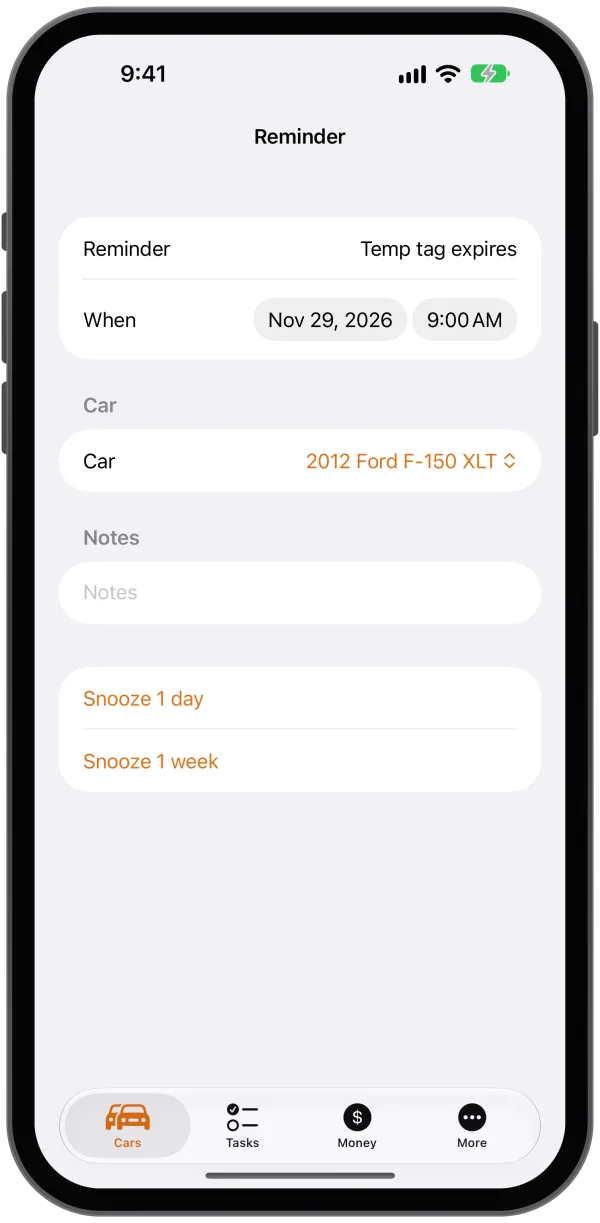
Set the date and time, like the temp tag date from your state’s motor vehicle office. The first time, allow notifications.
3
Done or snooze
Mark it done, or snooze it 1 day or 1 week.
Step by step in Reminders.
Built-in nudges
A nudge when a car sits
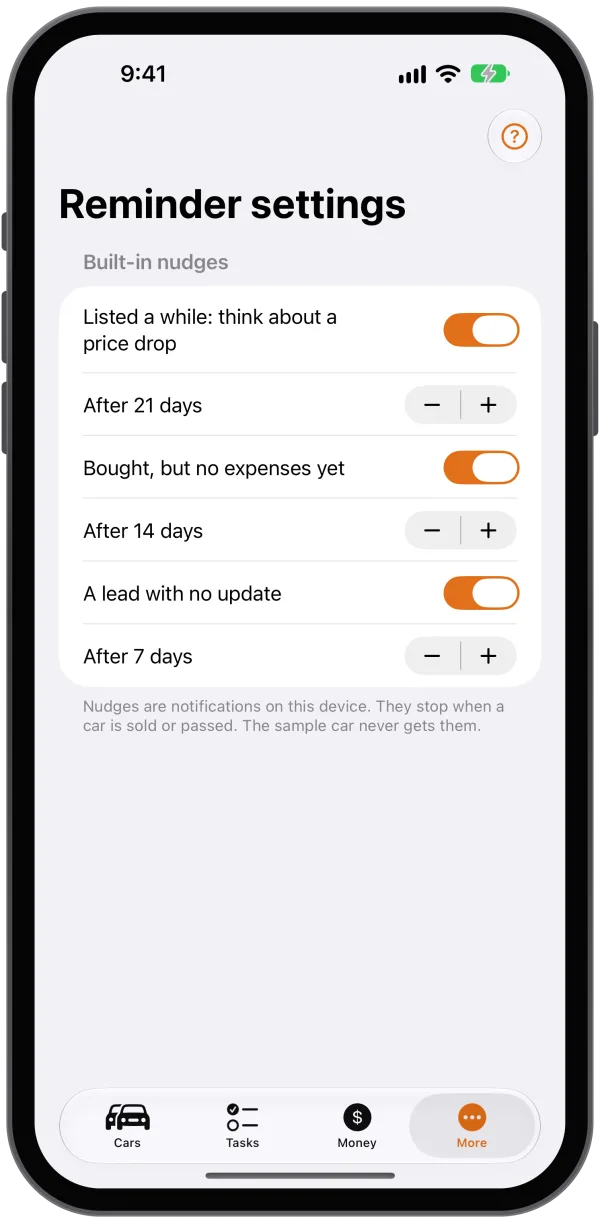
Flip Binder nudges you when a car has been listed for a while (time to think about a price drop), bought with no expenses yet, or a lead has had no update.
Listed 21 days, bought 14 days, lead idle 7 days to start.
Each one on or off, from 1 to 120 days, in More, Reminder settings.
Quiet when it’s over: no nudges for sold or passed cars, or the sample car.
One list
Reminders on top of the Tasks tab
Every reminder shows at the top of the Tasks tab, with the car it belongs to, above the open tasks.
On the car page: “Up next” shows the next two reminders and three tasks.
Notifications off? Reminders still show in the Tasks tab, with a note.
Good to know
Good to know
Reminders are notifications on each device; Flip Binder asks for permission the first time you set one.
Free for every car
Reminders and nudges are free for every car. See Flip Binder free and Pro plans.
Keep exploring
More of what Flip Binder does
Or see every Flip Binder feature on one page.
Tasks and expenses
Check off the part and the cost is counted, with the receipt. Still to spend, total invested and your hours.
See tasks and expensesPhotos
Before, after and damage tags, captions and a cover photo for the listing, the ad image and the flyer.
See photosMaximum offer
Guide values you type in, minus repairs, fees and the profit you want: the most to pay, before you go.
See the maximum offerPre-purchase inspection
51 checks from the title to the test drive, with costs that lower your offer. Go, walk away or offer.
See the inspectionVIN scan and recalls
Scan the VIN and the car fills in. A mismatch warning, and the model year’s NHTSA recalls.
See VIN and recallsTrouble codes
Several codes at once, each Open, Came back or Fixed, so you see what’s really fixed.
See trouble codesQuestions about reminders
Are car flip reminders free?
Yes. Car flip reminders and the three nudges are free for every car.
Reminders don’t notify me.
Allow notifications for Flip Binder in Settings.
Can I change the nudge days?
Yes. In More, Reminder settings, set each nudge from 1 to 120 days, or turn it off.
Can I set a reminder without a car?
Yes. Tap the bell on the Tasks tab.
Flipping 3 or more cars a month?
See profit by month, which makes and price ranges make you money, and every car that’s sitting too long.