Maximum offer
How much to offer on a used car, worked out before you go
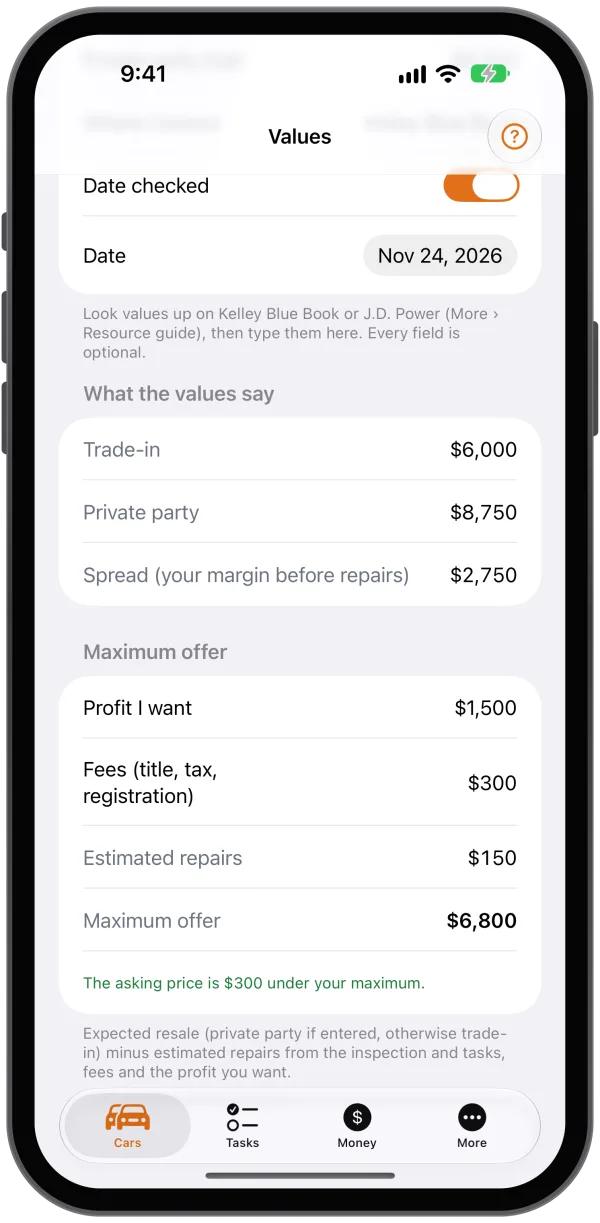
How much to offer on a used car comes down to what it will sell for, minus what it will cost you. Flip Binder does that math for every lead: the guide values you type in, minus repairs, fees and the profit you want. The answer is your maximum offer.
Every number is free, for every car.
Flip Binder never guesses a value: you type what you looked up.

For iPhone and iPad · Requires iOS 26 or later · Free for every car
How it works
How much to offer on a used car, in three steps
1
Look up the values
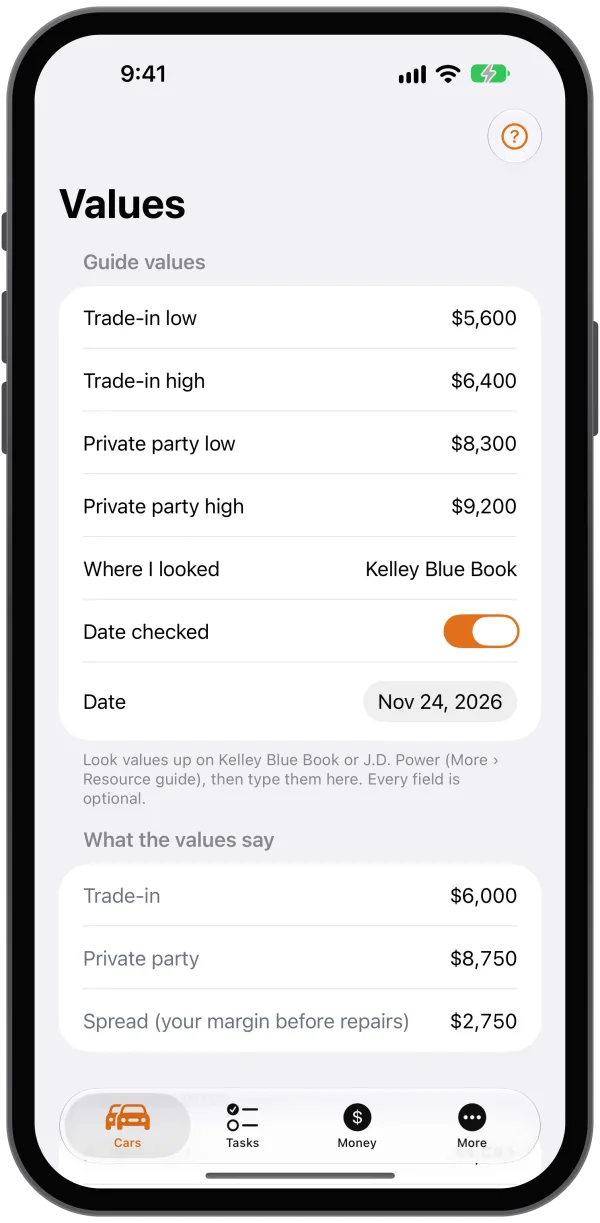
Check Kelley Blue Book, Edmunds or J.D. Power (all in the app’s resource guide) and type the trade-in and private party values you find.
2
Add fees and profit
On Values and maximum offer, fill in Profit I want and the fees you’ll pay to buy it.
3
Read your maximum
Repairs come in from the inspection and open tasks. The Maximum offer is what’s left.
Step by step in Your maximum offer and Enter guide values.
The formula
How much should I offer for a used car? The math, line by line
Maximum offer = private party value (or trade-in) − estimated repairs − fees − the profit you want. Nothing hidden, and every line is yours to change.
Guide values: trade-in low and high, private party low and high, all optional. With a low and a high, Flip Binder uses the midpoint; with one, it uses that one.
Spread: private party minus trade-in, your margin before repairs, when you enter both.
Estimated repairs: every inspection item marked Concern or Problem with a cost, plus open tasks with an amount.
Where you looked and when: note the source and the date checked.
Compare it to the asking price
Offer, negotiate, or walk away
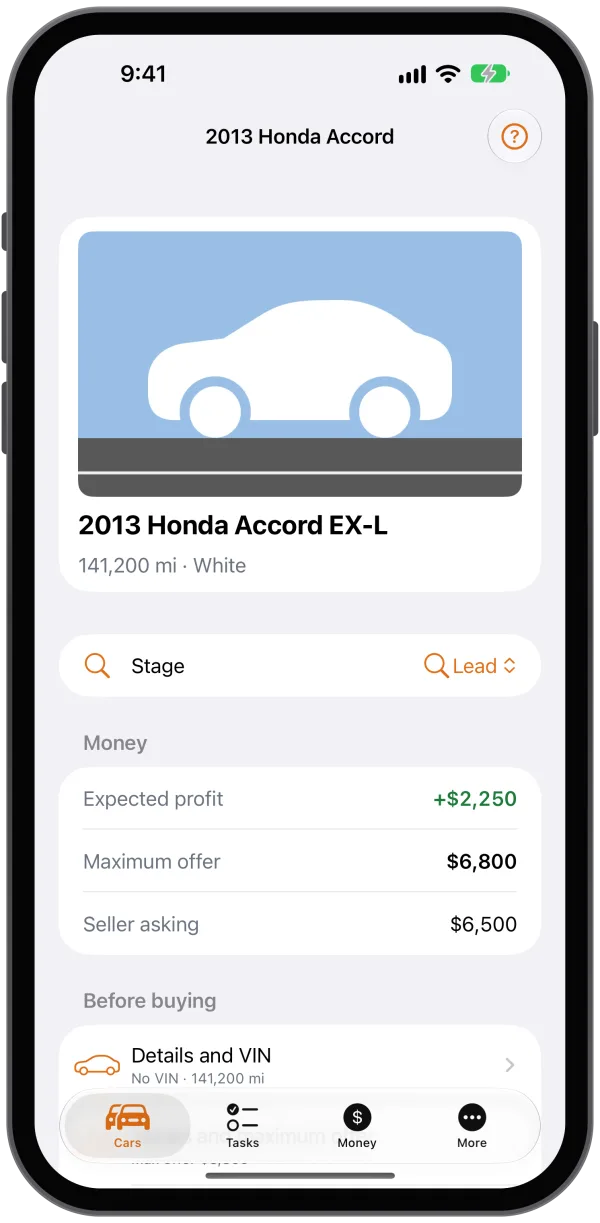
Type the seller’s asking price and you see how far it is above or below your maximum. For example: the seller asks $6,800 and your maximum offer is $6,140, so you offer $5,900 or you walk.
On the car page and the Cars tab: every lead shows its maximum offer.
After you buy, you see how far under (or over) trade-in you paid.
Expected profit uses private party if you entered it, otherwise trade-in, and says so.
Good to know
Good to know
Flip Binder doesn’t know what a car is worth and doesn’t use paid value services. The maximum offer is only as good as the values you type in.
The inspection is what makes the repairs number real: costs on concerns and problems lower the maximum offer right away.
Free for every car
Values, the spread and the maximum offer are free for every car. See Flip Binder free and Pro plans.
Keep exploring
More of what Flip Binder does
Or see every Flip Binder feature on one page.
Pre-purchase inspection
51 checks from the title to the test drive, with costs that lower your offer. Go, walk away or offer.
See the inspectionVIN scan and recalls
Scan the VIN and the car fills in. A mismatch warning, and the model year’s NHTSA recalls.
See VIN and recallsTrouble codes
Several codes at once, each Open, Came back or Fixed, so you see what’s really fixed.
See trouble codesTasks and expenses
Check off the part and the cost is counted, with the receipt. Still to spend, total invested and your hours.
See tasks and expensesReminders
Temp tags and title transfers, and a nudge when a car has been listed, bought or a lead has gone quiet too long.
See remindersPhotos
Before, after and damage tags, captions and a cover photo for the listing, the ad image and the flyer.
See photosQuestions about the maximum offer
Does Flip Binder tell me what the car is worth?
No. You look values up on KBB or J.D. Power (links in the resource guide) and type them in. Flip Binder does the rest of the math.
What if I only have a trade-in value?
That’s fine. The maximum offer uses private party when you enter it, otherwise trade-in, and the car page says “based on trade-in”.
Where do the repair costs come from?
From the inspection: every item marked Concern or Problem with an estimated repair cost, plus open tasks with an amount that didn’t come from the inspection.
Is it free?
Yes. The values, the spread and the maximum offer are free for every car.
Know your max offer before you go.
Type in the guide values; repairs, fees and the profit you want come off. Free for every car.