Trouble code tracker
Trouble codes on the car, and which ones came back
Cars often throw several codes, and codes come back after clearing. Read them with your own scanner, add them all at once, and keep each one Open, Came back or Fixed, so you know what’s really fixed before you list the car.
Free for every car.
Codes are typed in; there’s no scanner connection.

For iPhone and iPad · Requires iOS 26 or later · Free for every car
How it works
From scanner to fixed
1
Add codes
Type or paste them, separated by spaces or commas (P0420 P0171), with the date seen and a note for all.
2
Make a task
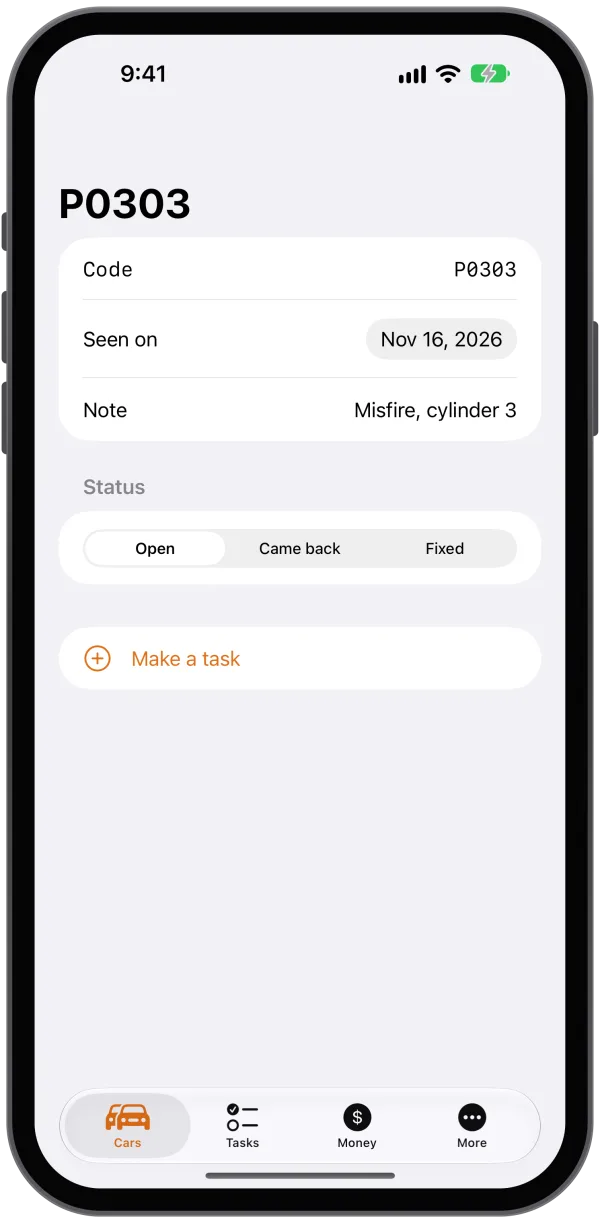
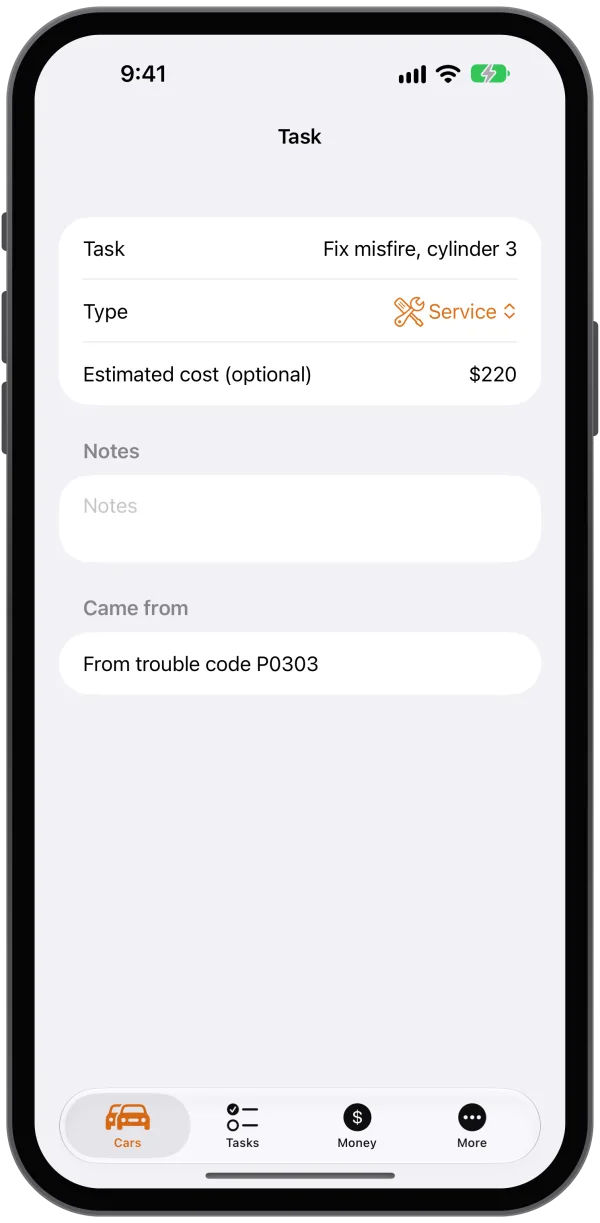
Tap a code, then Make a task. The task carries the code, so the repair has a cost.
3
Mark it fixed
Check the task off and Flip Binder offers to mark the code fixed.
Step by step in Track trouble codes.
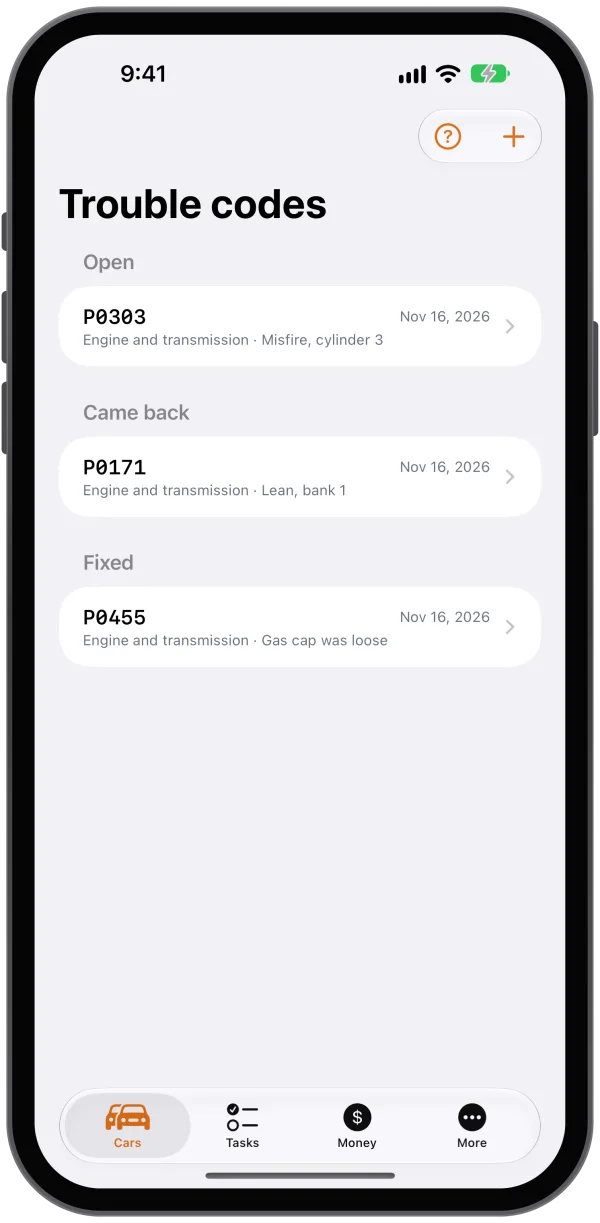
Open, Came back, Fixed
A trouble code tracker that shows what stayed fixed
Add a code again after it was Fixed and it moves to Came back, with its dates. That’s the code you want to know about before a buyer finds it.
Format check: P, B, C or U and four characters.
System hint: engine, body, chassis or network.
Open codes show on the car page, the inspection sheet and the car report.
From code to cost
The repair goes on the car’s costs
A task made from a code has the code on it. Check it off, type what it really cost, and the expense is saved on the car.
Still to spend includes the open repair. For a fair price on the work, RepairPal is in the app’s resource guide.
Ready for sale has “Warning lights off, codes cleared”.
Good to know
Good to know
Flip Binder keeps the codes your scanner reads; it doesn’t read the car or diagnose what a code means for that car.
A checklist, not a mechanic
Flip Binder helps you keep track of the cars you buy and sell. It isn’t legal, tax or mechanical advice. Check your state’s rules and have a qualified mechanic inspect any car you’re unsure about.
Keep exploring
More of what Flip Binder does
Or see every Flip Binder feature on one page.
Maximum offer
Guide values you type in, minus repairs, fees and the profit you want: the most to pay, before you go.
See the maximum offerPre-purchase inspection
51 checks from the title to the test drive, with costs that lower your offer. Go, walk away or offer.
See the inspectionVIN scan and recalls
Scan the VIN and the car fills in. A mismatch warning, and the model year’s NHTSA recalls.
See VIN and recallsTasks and expenses
Check off the part and the cost is counted, with the receipt. Still to spend, total invested and your hours.
See tasks and expensesReminders
Temp tags and title transfers, and a nudge when a car has been listed, bought or a lead has gone quiet too long.
See remindersPhotos
Before, after and damage tags, captions and a cover photo for the listing, the ad image and the flyer.
See photosQuestions about trouble codes
Does Flip Binder connect to an OBD-II scanner?
No. Read the codes with your own scanner and type or paste them in.
Can I add several codes at once?
Yes. Separate them with spaces or commas, for example P0420 P0171.
Is the trouble code tracker free?
Yes. The trouble code tracker is free for every car, with no limit on codes.
What does “Came back” mean?
You added a code that was already marked Fixed. It moves to Came back, so you can see it returned.
Know what you really made.
Every part, fee and shop bill on the right car, so the profit is real, not a guess.