VIN and recall check
Scan the VIN. Catch the mismatch. See the recalls.
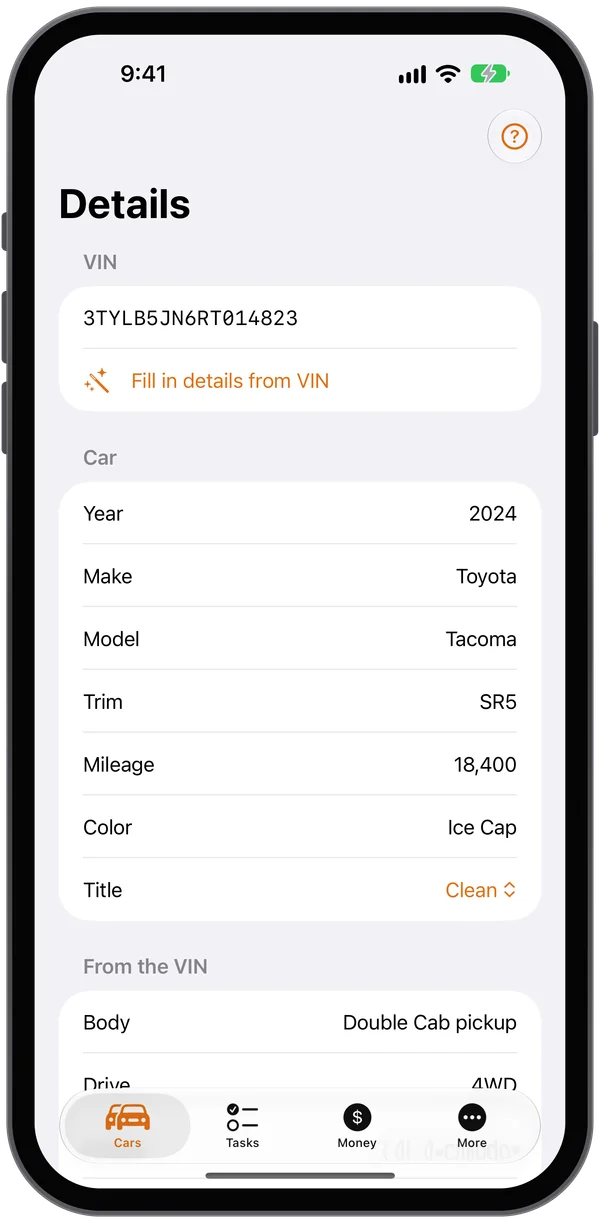
Point the camera at the VIN barcode and Flip Binder looks it up with the free U.S. government service, NHTSA. The year, make and model fill in, a mismatch with the listing is flagged, and the model year’s recalls are one tap away.
VIN lookup, scan and recalls are free.
Only the VIN, or the year, make and model, is sent to NHTSA.

For iPhone and iPad · Requires iOS 26 or later · Free for every car
How it works
Your VIN and recall check in three taps
1
Scan or type the VIN
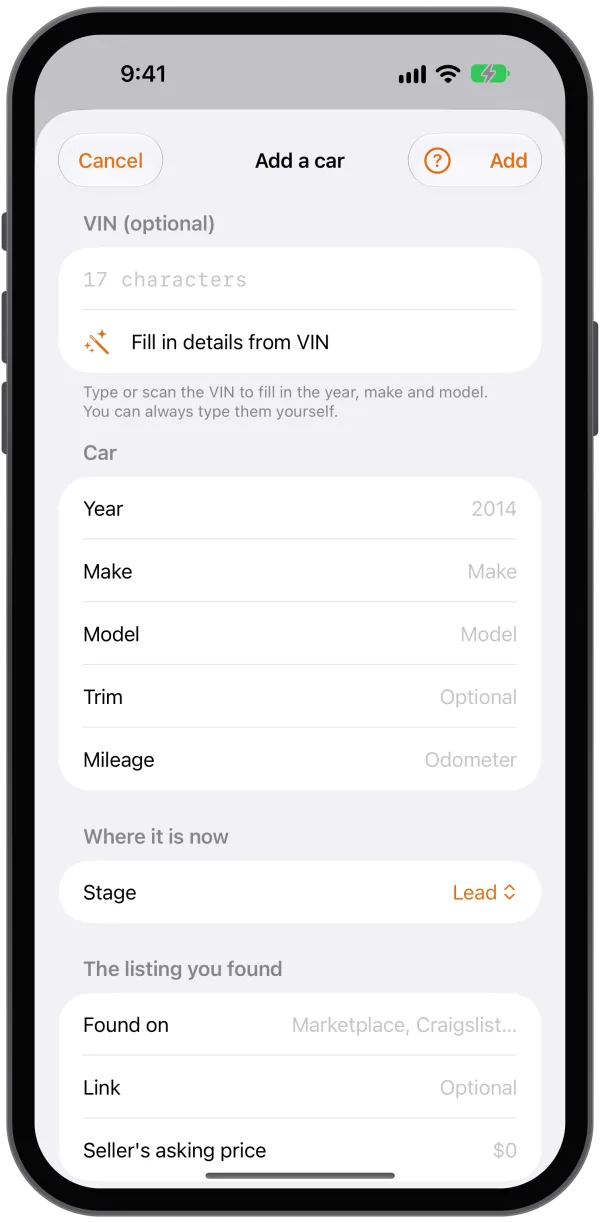
On Add a car or Details and VIN, tap the barcode button, or type the 17 characters.
2
Fill in details
Tap Fill in details from VIN. Empty fields fill in; anything you typed stays.
3
Open Recalls
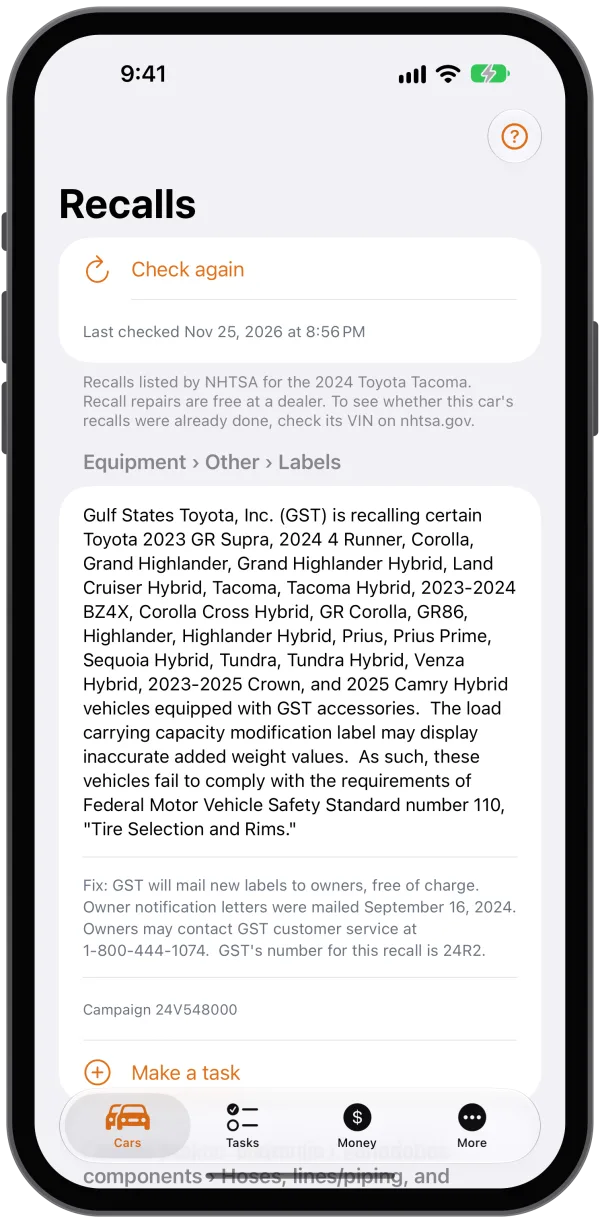
Recalls for the year, make and model load from NHTSA, with the summary and the fix.
Step by step in Decode a VIN and Check recalls.
VIN lookup
When the VIN doesn’t match the ad
The ad says Civic, the VIN says Accord. If what you typed differs from what the VIN says, Flip Binder shows “VIN says…” in yellow. Tap Use these or Keep mine. A mismatch can mean a typo, or a seller to be careful with.
Checked as you type: 17 characters, no I, O or Q, and a check-digit warning.
Title status on the car: Clean, Salvage, Rebuilt, Lien, Not in seller’s name, No title.
Never required: a car always saves without a lookup. Cars before 1981 and some imports aren’t in NHTSA’s data, so you type those details.
Recalls by model year
Recalls, and a task for the repair
Flip Binder checks the free NHTSA recall list for the car’s year, make and model, and checks again when you open the car if the last check is over 30 days old.
Each recall: the component, summary, fix, campaign number and the owner complaint count.
Make a task adds “Recall repair at a dealer” to the car. Recall repairs are free at a dealer.
This exact car? The list is for the model year; tap Check this car’s VIN on nhtsa.gov to see whether its recalls were done.
Honest offline: the last list stays with its date. Flip Binder never says “no recalls” unless the service answered.
Recalls come from the NHTSA recalls site, the U.S. government’s own list.
Good to know
Good to know
The VIN and recall services are U.S. (NHTSA). If there’s no signal, you can type the details and check later.
Recalls are for the model year; not every car of that year is affected.
Free for every car
VIN lookup and scan, the mismatch check and recalls are free for every car. See Flip Binder free and Pro plans.
Keep exploring
More of what Flip Binder does
Or see every Flip Binder feature on one page.
Maximum offer
Guide values you type in, minus repairs, fees and the profit you want: the most to pay, before you go.
See the maximum offerPre-purchase inspection
51 checks from the title to the test drive, with costs that lower your offer. Go, walk away or offer.
See the inspectionTrouble codes
Several codes at once, each Open, Came back or Fixed, so you see what’s really fixed.
See trouble codesTasks and expenses
Check off the part and the cost is counted, with the receipt. Still to spend, total invested and your hours.
See tasks and expensesReminders
Temp tags and title transfers, and a nudge when a car has been listed, bought or a lead has gone quiet too long.
See remindersPhotos
Before, after and damage tags, captions and a cover photo for the listing, the ad image and the flyer.
See photosQuestions about VIN and recalls
Are the recalls for my exact car?
They’re for the model year. Check the VIN on nhtsa.gov (link on the Recalls screen) to see if they were done.
The VIN lookup didn’t find my car.
Older cars (before 1981) and some imports aren’t in NHTSA’s data. Type the details.
Where do I scan the VIN?
The barcode on the driver’s door jamb, or the VIN through the bottom of the windshield.
Is the VIN and recall check free?
Yes. The VIN and recall check, the scan and the mismatch warning are free for every car.
Is a vehicle history report included?
No. No paid history services are built in; Carfax, AutoCheck and NMVTIS are links in the resource guide.
Looking at a car this weekend?
Scan the VIN, run the 51-point inspection and know your maximum offer before you talk price. Free.