Car flip profit
Your real profit, and what to buy next
Once a car sells, Flip Binder shows its real profit after every cost, its margin and its return. The Money tab adds it up for any period, and the scoreboard shows which makes, models and price ranges make you money.
Every number is free, for every car.
Green means profit and red means loss. Nothing else.

For iPhone and iPad · Requires iOS 26 or later · Free for every car
How it works
From sale to scoreboard
1
Mark it sold
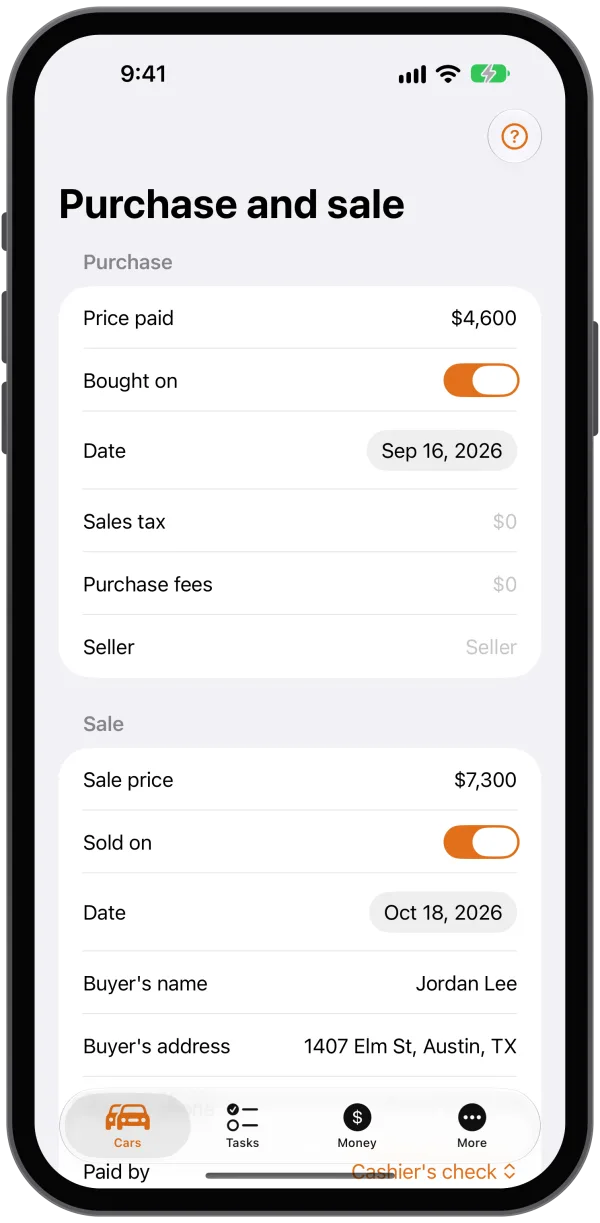
On Purchase and sale, add the sale price and date, and tap Mark as sold.
2
See the result
Total invested, profit, margin, return, days owned and profit per hour.
3
Compare
On the Money tab, pick this month, this year, all time or custom dates.
Step by step in Money and the scoreboard and Purchase and sale.
Totals for any period
Car flip profit by month or year
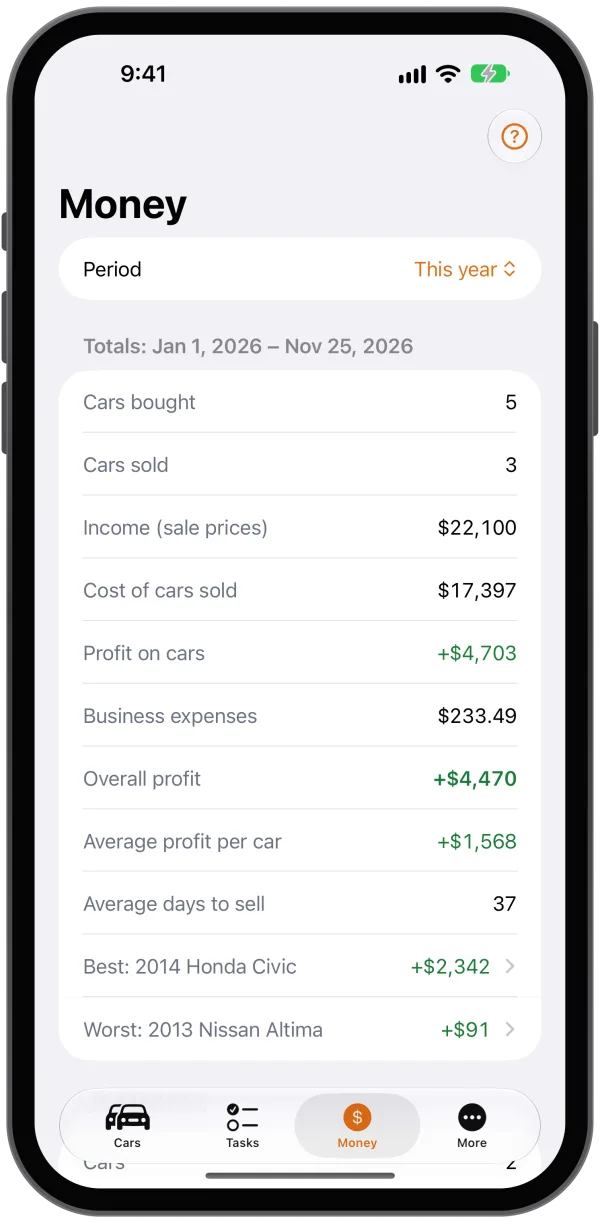
Profit counts in the period of the sale date. The sample car never counts.
Totals: cars bought and sold, income, cost of cars sold, profit on cars, business expenses, overall profit, average profit, average days to sell, best and worst flip.
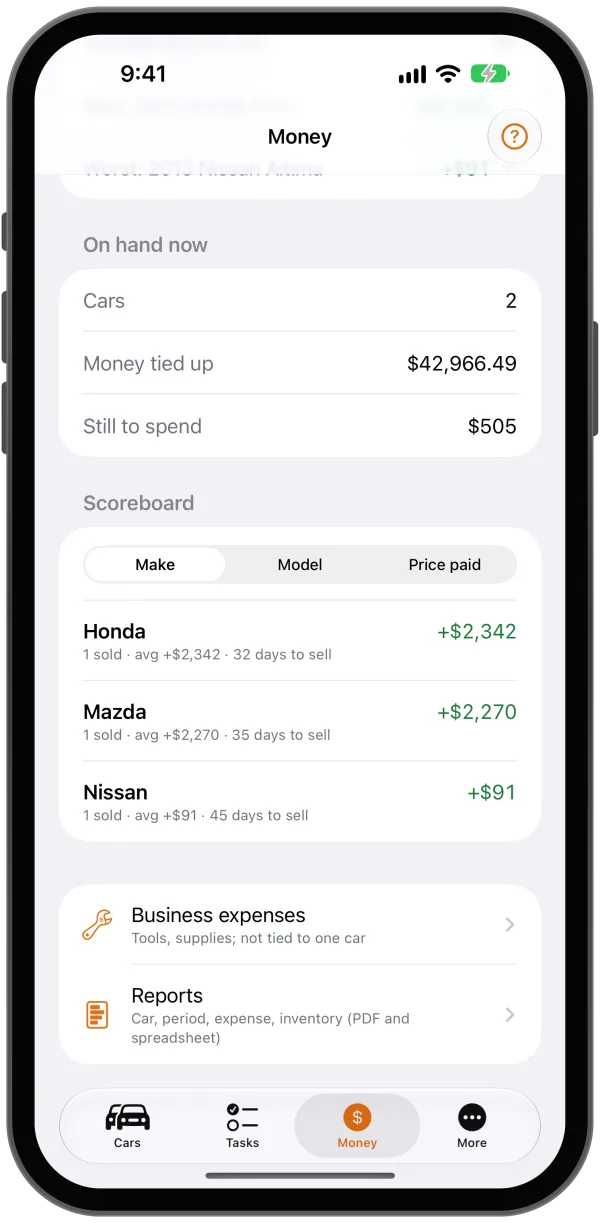
On hand now: the cars you own, the money tied up in them and what’s still to spend.
Margin vs return: margin is profit as a share of the sale price; return is profit as a share of what you put in.
What to buy next
Which cars make you money
Group your sold cars by make, model or price paid (under $2,000; $2,000 to $4,999; $5,000 to $9,999; $10,000 to $19,999; $20,000 and up), with total and average profit and days to sell.
Top 10, and See all for more.
Your own results, not a guess about the market. Values still come from guides like Kelley Blue Book that you look up yourself.
Good to know
Good to know
The profit is only as good as what’s entered: the purchase, every expense and the sale.
Business expenses count in overall profit, not in any one car’s profit.
Free, with more in Pro
Profit, margin, return, the Money tab and the scoreboard are free. Reports put the same numbers into PDFs and spreadsheets (Pro). See Flip Binder free and Pro plans.
Keep exploring
More of what Flip Binder does
Or see every Flip Binder feature on one page.
Reports
Car, inspection, period, expense and inventory reports as PDFs, plus spreadsheets (Pro).
See the reportsMaximum offer
Guide values you type in, minus repairs, fees and the profit you want: the most to pay, before you go.
See the maximum offerPre-purchase inspection
51 checks from the title to the test drive, with costs that lower your offer. Go, walk away or offer.
See the inspectionVIN scan and recalls
Scan the VIN and the car fills in. A mismatch warning, and the model year’s NHTSA recalls.
See VIN and recallsTrouble codes
Several codes at once, each Open, Came back or Fixed, so you see what’s really fixed.
See trouble codesTasks and expenses
Check off the part and the cost is counted, with the receipt. Still to spend, total invested and your hours.
See tasks and expensesQuestions about profit
Is car flip profit counted after every cost?
Yes: the sale price minus the purchase price and every expense on that car.
Why isn’t the sample car in my totals?
The sample car never counts in the Money tab totals, reports or scoreboard, except while it’s your only car.
What’s profit per hour?
Log your hours on a car and, once it sells, Flip Binder divides the profit by them.
Flipping 3 or more cars a month?
See profit by month, which makes and price ranges make you money, and every car that’s sitting too long.